%20(1)-1.svg)



Podcasting in education is the use of audio recording and publishing to support teaching,...
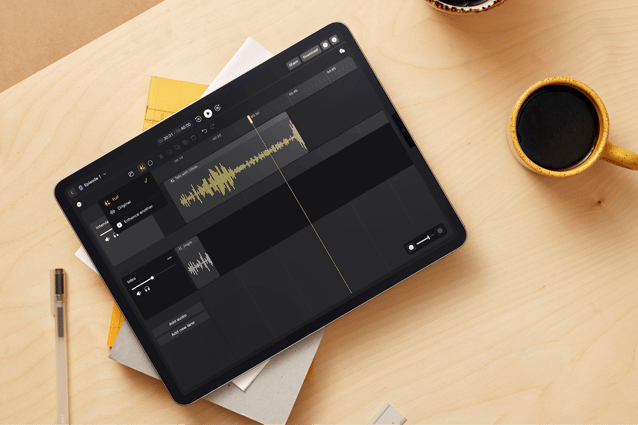
Podcast editing is where a good conversation either sounds professional or falls apart. You can have a strong host, a smart guest, and a subject people care about. But if the audio is uneven, full of room noise, awkward pauses, distracting cuts, or inconsistent levels, the whole thing feels less credible.
That’s why podcast editing is so important. It shapes the pace, cleans up distractions, and helps every voice sound clear and intentional. It’s also where many teams lose time. Too much fixing in post usually points to a bigger workflow problem upstream: poor raw audio, clunky handoffs, and tools that were never built to work together.
In this guide, we’ll walk through what podcast editing actually involves, what makes a show sound professional, where audio quality usually breaks down, and how to build a simpler path from recording to publishing.
What is podcast editing?
Podcast editing is the process of turning a raw recording into a polished episode that people really enjoy listening to. At a basic level, editing removes the distractions that creep into any conversation, such as long pauses, false starts, background noise, uneven volume, and awkward pacing. Editing cleans those up so the focus stays on the conversation.
Most podcast edits include a few key steps:
- Removing mistakes and dead space – cutting filler, repeated phrases, or long pauses that slow the episode down.
- Balancing speaker levels – making sure one voice isn’t noticeably louder or quieter than another.
- Cleaning up background noise – reducing room noise, hum, wind, or other environmental sounds.
- Improving clarity – making voices sound more present and easier to follow.
- Structuring the episode – adding intros, outros, music, or transitions where needed.
- Preparing the final file – exporting the episode in the correct format and at the right loudness for publishing.
For many creators, editing becomes the most time-consuming part of the workflow. A one-hour conversation can easily turn into several hours of post-production, especially when the original recording has quality issues that need fixing.
That’s why experienced producers think about editing before they ever open editing software. Cleaner recordings, consistent mic placement, and tools designed for spoken audio dramatically reduce the amount of repair work later.
Editing vs audio enhancement vs podcast production
These terms often get used interchangeably, but essentially, they refer to different parts of the podcast workflow:
- Podcast editing focuses on shaping the conversation. This includes cutting mistakes, tightening pacing, balancing speakers, and arranging the episode so it flows well for the listener.
- Audio enhancement improves the sound quality itself. This might involve reducing background noise, smoothing out room echo, or making voices clearer and more consistent. The goal is simple: make speech easier to hear and more pleasant to listen to.
- Podcast production covers the full process of creating an episode. Recording the conversation, improving the audio, editing the content, adding music or intros, and preparing the final file for publishing all sit inside production.
In practice, these steps overlap. The cleaner the recording and the better the audio enhancement, the less time editors spend repairing problems later. For many teams, the biggest improvements in editing speed come from improving the stages that happen before the edit even begins.
Why audio quality matters more than most podcasters think
Listeners decide very quickly whether a podcast sounds credible. If voices sound distant, levels jump between speakers, or background noise keeps creeping in, the show feels harder to listen to.
Clear audio removes that friction. When the sound is clean and consistent, the listener can focus entirely on the conversation.
What poor audio actually does to a podcast
Small issues add up quickly. Listeners notice when:
- one speaker is much louder than the other
- voices sound thin, distant, or echoey
- background noise cuts through the conversation
- pauses and pacing feel awkward
- edits are obvious and distracting
Audio quality shapes how the podcast feels
Sound quality influences perception more than most creators expect. A clear recording makes a host sound confident. A balanced mix makes conversations easier to follow. And consistent audio from episode to episode signals that the show is well produced.
For branded podcasts, this is even more important. If the production sounds rushed or uneven, the brand behind it can feel less credible.
Poor recordings create editing problems later
Audio quality also affects the editing process itself. When the original recording has issues, editors spend time repairing problems instead of shaping the episode. Noise reduction, level fixes, and clarity adjustments can easily add hours to post-production.
Cleaner recordings change the job completely. Editing becomes about pacing, storytelling, and structure rather than technical repair.
That’s why experienced podcast teams think about audio quality long before they open editing software. The better the source recording, the faster the entire editing process becomes.
Hear the difference: recording in a noisy environment
Podcast conversations don’t always happen in quiet studios. Interviews often take place at events, conferences, or busy locations where background noise is unavoidable.
The clip below was recorded in a crowded environment. First, you’ll hear the raw recording with the surrounding noise. Then you’ll hear the same conversation after spoken-word processing removes the distractions and brings the voice forward.
This kind of cleanup can make the difference between an episode that feels chaotic and one that stays easy to follow, even when the conversation happens in a busy space.
The 7 essentials of professional podcast editing
Professional podcast editing isn’t about complex production tricks. Most great-sounding shows rely on a handful of consistent fundamentals.
When these are done well, episodes feel clear, focused, and easy to listen to.
1. Remove distractions without losing the natural flow
Conversations always include pauses, repeated phrases, and moments where someone restarts a sentence.
Editing tightens these sections so the conversation moves forward naturally. The goal isn’t to eliminate every pause or imperfection. It’s to remove the parts that interrupt the listener’s attention.
2. Keep speaker levels consistent
One of the most noticeable issues in podcast audio is uneven volume between speakers.
If one voice is much louder than another, listeners end up constantly adjusting their volume. Good editing balances levels so each person sounds clear and present throughout the episode.
3. Reduce background noise
Room noise, air conditioning, wind, or distant sounds can creep into recordings, especially outside a studio.
Cleaning up this noise makes voices easier to understand and keeps the conversation front and centre.
4. Improve voice clarity
Speech should sound present and natural. When voices feel distant or thin, listeners have to work harder to follow the conversation.
Clarity adjustments help voices sit comfortably in the mix, so the episode feels more polished.
5. Tighten pacing
Great podcast pacing feels effortless. The conversation moves forward without long gaps, awkward transitions, or sections that drag.
Editing helps maintain that rhythm so listeners stay engaged from start to finish.
6. Structure the episode
Most podcasts include simple structural elements such as:
- intro and outro music
- host introductions
- segment transitions
- closing credits or calls to action
These elements help the episode feel intentional rather than just a raw conversation.
7. Prepare the final audio for publishing
The last step is exporting the episode so it plays well across podcast platforms.
This usually includes setting consistent loudness levels, choosing the right file format, and making sure the final mix translates well on headphones, speakers, and mobile devices.
The fastest way to improve your podcast editing workflow
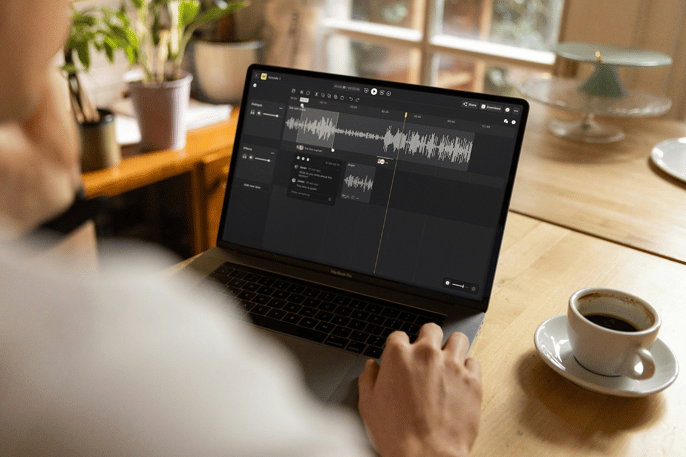
Many podcasters assume editing is where the real work happens. In reality, editing time usually reflects what happened earlier in the process.
When recordings are messy, files arrive in different formats, or tools don’t integrate well, editing becomes repair work. Cleaning noise, balancing levels, and organising tracks can take longer than shaping the episode itself.
A smoother workflow changes that.
Start with cleaner recordings
Editing becomes dramatically easier when the original recording is clear. Voices that are captured close to the microphone, in a controlled environment, need far less fixing later.
This doesn’t mean every podcast needs a traditional studio. Portable recording setups can deliver strong results as long as the microphones, recording levels, and environment are handled properly.
Keep the recording and editing workflow connected
A common problem in podcast production is fragmentation. Audio gets recorded on one device, uploaded somewhere else, downloaded again for editing, then passed between team members.
Each step adds friction.
Keeping recording, file management, and editing connected removes a lot of this overhead and reduces the chances of version confusion or lost files.
Reduce repetitive cleanup work
Many editors spend a large part of their time on the same fixes every episode: noise reduction, level balancing, and speech clarity adjustments.
When those steps are automated or handled earlier in the workflow, editing becomes much faster. Instead of repeating technical fixes, producers can focus on pacing, storytelling, and structure.
Make collaboration easier
Podcast editing rarely happens in isolation. Producers, hosts, marketers, and sometimes external editors all need access to the same audio.
Shared workspaces and cloud-based editing tools simplify this process. Instead of sending large audio files back and forth, teams can review, edit, and comment within the same project.
Build a repeatable episode process
The most efficient podcast teams follow a predictable workflow for every episode:
Record → upload → clean audio → edit → review → publish
Once this process is consistent, editing becomes much easier to estimate and manage. Each episode follows the same structure, and the team spends less time solving new problems every time they record.
When the workflow is designed well, editing stops feeling like a bottleneck. It becomes the stage where the conversation is refined rather than repaired.
Common podcast editing mistakes that make shows sound amateur
Most editing problems come from habits that quietly reduce audio quality or make episodes harder to listen to. These mistakes show up in many podcasts, even when the conversation itself is strong.
❌ Over-editing the conversation
When every pause disappears, and every sentence is cut too aggressively, the conversation starts to sound unnatural. Small breaths, brief pauses, and conversational rhythm help the listener feel present in the discussion. Good editing keeps the flow while removing the moments that genuinely interrupt it.
❌ Relying on editing to fix poor recordings
If voices are distant, microphones pick up too much room echo, or background noise dominates the track, post-production becomes a constant repair job. The episode may still sound compromised after hours of work. Capturing clean audio at the start reduces most of that repair work.
❌ Leaving speaker levels uneven
If one person sounds much louder than the other, the audience ends up adjusting their device volume throughout the episode. Balancing speaker levels is one of the simplest ways to make a podcast feel more polished.
❌ Ignoring pacing
Long pauses, repeated thoughts, and sections that wander off-topic slow the episode down. Editing helps maintain momentum by tightening sections that drag and keeping the conversation focused.
❌ Using too many tools in the workflow
Recording on one device, uploading to storage, downloading into editing software, exporting again, and sharing files manually adds unnecessary complexity. A more connected workflow keeps recording, audio cleanup, editing, and collaboration closer together, so the process moves faster.
❌ Skipping a final listening pass
A sudden level change, an abrupt cut, or a stray noise can slip through the editing process. A final playback check before publishing helps catch these details and ensures the episode feels consistent from beginning to end.
Most of these mistakes have a simple root cause: the production process is harder than it needs to be. When the recording setup, audio cleanup, and editing workflow are designed to work together, many of these problems disappear before they reach the edit.
Podcast editing for different recording scenarios
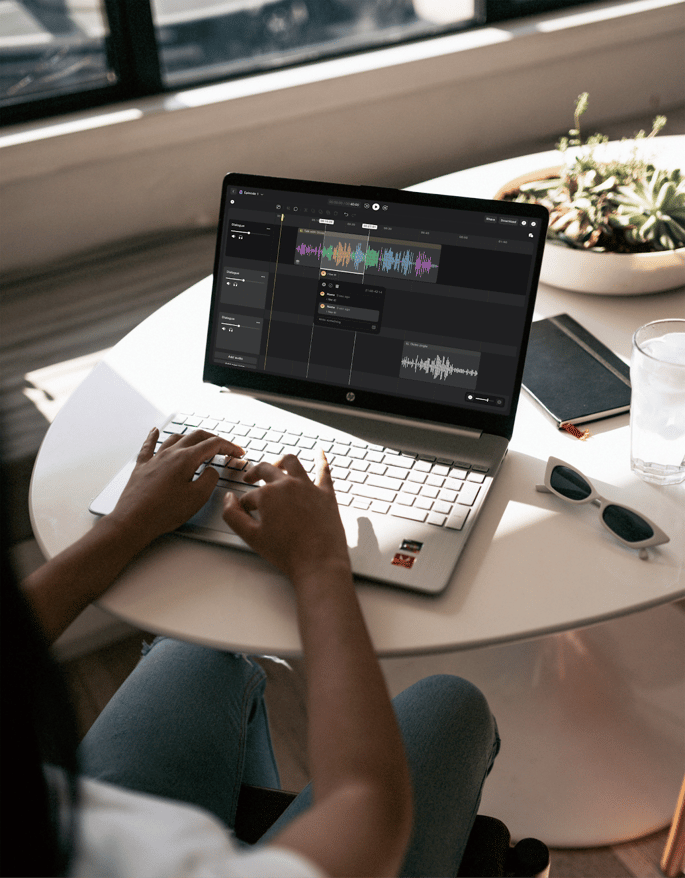
Not every podcast is recorded under the same conditions. A studio interview, a remote conversation, and an outdoor walk-and-talk all create different editing challenges. Understanding the recording environment helps you anticipate what the editing process will involve.
Studio recordings
Studio setups usually produce the cleanest audio. Microphones are positioned close to the speaker, the room is controlled, and background noise is minimal. Editing studio recordings tends to focus on pacing and structure rather than technical fixes. Most of the work involves trimming pauses, balancing speakers, and shaping the episode.
Remote interviews
Remote podcasts introduce a different set of issues. Guests may use different microphones, sit in untreated rooms, or record with varying internet connections. Editors often need to balance multiple audio qualities in the same episode. One voice might sound crisp while another is thinner or more distant. Careful level balancing and speech clarity adjustments help make the conversation feel consistent.
On-location recordings
Podcasts recorded outside the studio—at events, in offices, or on location—often capture more environmental sound. Background noise, room echo, and movement can all affect the recording. Editing usually involves removing distractions and cleaning up the audio so voices remain clear. Portable recording setups that capture clean speech in these environments can significantly reduce the amount of cleanup required later.
Outdoor and walk-and-talk podcasts
Outdoor recordings add another layer of complexity. Wind, traffic, and changing environments make it harder to maintain consistent audio. Editing these episodes often involves additional noise reduction and careful pacing to keep the conversation easy to follow. When the microphones capture voices clearly despite the environment, the editing process becomes far simpler.
Branded podcasts and team productions
Many business podcasts involve multiple people in the production process: hosts, producers, marketers, and editors. In these cases, the editing workflow itself becomes important. Shared access to recordings, organised files, and collaborative editing tools helps teams move from recording to publishing without delays.
Regardless of the scenario, it’s key to capture voices clearly, keep the conversation engaging, and make sure the final episode sounds consistent for the listener.
How to choose the right podcast editing setup
The tools you use for editing have a big impact on how long the process takes. Many podcast teams build their workflow gradually, adding new tools as their show grows. But, over time, that stack can become complicated.
Different setups suit different kinds of podcasts. The key is choosing an approach that matches how and where you record:
Traditional editing setup
This is the most common workflow for independent podcasters and production teams.
Typically, it involves:
- a separate audio recorder or microphone setup
- manual file transfer after recording
- desktop editing software
- additional tools for noise reduction or speech cleanup
- cloud storage or file sharing for collaboration
This setup creates more steps in the process. Editors often spend time managing files and switching between tools before the actual editing work begins.
Browser-based editing tools
Some podcast platforms allow recording and editing directly in the browser. These tools are designed to simplify the process and reduce the need for specialised software. They can work well for remote interviews or quick publishing workflows, though they sometimes provide fewer options for controlling audio quality or handling complex edits.
Mobile-first recording tools
Mobile recording apps make it easy to capture audio anywhere. They are convenient for quick interviews, field recordings, or solo podcasts. The trade-off is that mobile recordings can vary in quality depending on the microphone and recording environment. When the source audio is inconsistent, editors often spend more time correcting problems later.
Integrated record-to-publish workflows
A growing number of podcast teams are moving toward integrated workflows like Nomono, where recording, audio cleanup, editing, and collaboration happen within the same environment. Instead of transferring files between multiple tools, the recording flows directly into the editing workspace. Audio can be cleaned and balanced before the editing stage even begins.
This approach reduces manual steps and keeps the production process organised, especially for teams producing episodes regularly.
For many podcasters, what they really need is the ability to build a workflow that captures clean audio, reduces repetitive fixes, and makes it easier to move from recording to publishing without unnecessary friction.
Real examples of what better podcast editing unlocks
When the editing process works well, the difference shows up in how the podcast sounds to listeners and how long it takes the team to produce each episode.
Many podcast teams discover that small improvements in recording quality and workflow lead to noticeable gains in both areas.
#1. Faster production from recording to publishing
When recordings are clear and the workflow is organised, editing becomes much more predictable. Instead of spending hours repairing noise, balancing levels, and managing files across different tools, editors can focus on shaping the episode itself. Conversations flow better, pacing is easier to manage, and the entire production cycle becomes shorter.
For teams producing regular shows, this can dramatically reduce the time required to move from recording to release.
#2. More consistent sound across episodes
Listeners quickly notice when audio quality changes from one episode to the next. Better recording practices and a reliable editing process help maintain consistent levels, clarity, and pacing. Over time, that consistency becomes part of the podcast’s identity.
The show simply sounds dependable.
#3. Greater flexibility in where podcasts can be recorded
With the right recording setup and editing workflow, podcasts no longer need to be tied to a traditional studio. Interviews can happen in offices, at events, outdoors, or while travelling without sacrificing audio clarity. Editors spend less time correcting environmental issues and more time shaping the conversation.
This flexibility opens the door to more natural conversations and new types of podcast formats.
#4. A smoother process for teams
Many podcasts involve multiple people across production, marketing, and editing. When recordings are easy to access and editing workflows are shared, collaboration becomes much simpler. Producers can review edits, hosts can check episodes before release, and teams can move quickly from recording to publishing.
The result is a podcast that sounds better to listeners and a production process that feels much easier to manage behind the scenes.
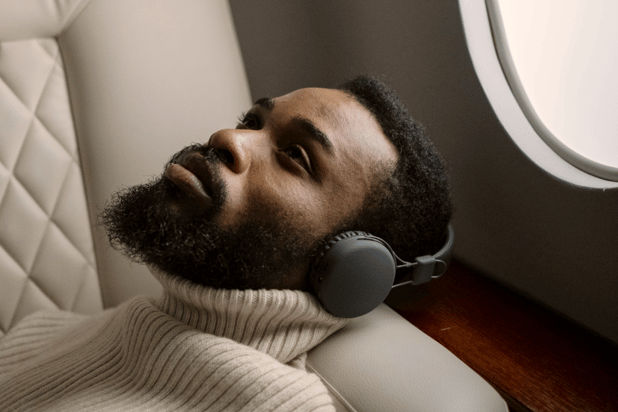
Make podcast editing easier with a record-to-publish workflow
Many podcast teams build their production process piece by piece. A recorder here, editing software there, file storage somewhere else. It works, but it creates extra steps.
Files need to be transferred. Editors wait for uploads. Team members send different versions back and forth. None of these steps improves the episode itself, yet they add time to every production cycle.
A record-to-publish workflow simplifies that path.
Record clean audio from the start
Editing is always easier when the source recording is clear. Microphones placed close to the speaker and designed for spoken voice capture reduce background noise and keep voices present in the mix.
Good recording doesn’t mean you need a permanent studio. Portable recording setups can capture high-quality speech in offices, meeting rooms, or outdoor environments.
Upload and organise recordings automatically
Once a conversation is finished, the next challenge is managing the files. Automatic upload and organised project folders remove the need to manually transfer large audio files. Editors and producers can access the recording immediately without waiting for downloads or email attachments.
Improve speech clarity before editing
Many podcasts spend the first part of editing correcting noise, balancing levels, and improving speech clarity. When those adjustments happen earlier in the workflow, the editing stage becomes much simpler. Instead of repairing audio problems, editors can focus on shaping the conversation.
Edit collaboratively
Podcast production often involves more than one person. A host may want to review the episode, a producer might suggest cuts, and a marketing team may check the final version before publishing.
Shared editing environments make this process easier. Everyone can access the same project instead of exchanging multiple versions of the audio file.
Move smoothly from editing to publishing
Once the episode is edited, the final step is preparing it for distribution.
When recording, audio cleanup, editing, and file management sit within the same workflow, moving from recording to a finished episode becomes much faster. The team spends less time managing tools and more time producing the show.
For podcasts published regularly, that difference adds up quickly. A streamlined workflow saves time and makes it much easier to keep producing episodes that sound clear, consistent, and professional.
Ready to simplify your podcast editing workflow?
Great podcast editing starts long before you open editing software. Clean recordings, clear speech, and a workflow that connects recording, cleanup, editing, and collaboration make every episode easier to produce.
Nomono was built around that idea.
Instead of stitching together multiple tools, Nomono brings recording, speech enhancement, editing, and cloud collaboration into one connected workflow. Capture clear conversations anywhere, automatically organise recordings, and move from raw audio to a finished episode without the usual file juggling.
If you want to spend less time fixing audio and more time shaping great conversations, it’s worth seeing how the workflow works in practice.
Because even in challenging environments, clear speech should remain consistent, as we demonstrate below...
→ Explore Nomono Studio
→ See how the Stellar Kit and Sound Capsule capture studio-quality conversations anywhere
Still have unanswered questions? Take a look at our most frequently asked questions below.
FAQs
How long does it take to edit a podcast?
Editing time varies depending on the quality of the recording and the amount of structure the episode needs. As a rough guide, many editors spend two to four hours editing a one-hour episode. That includes removing distractions, balancing levels, cleaning up noise, and preparing the final file for publishing.
When the original recording is clear and organised, using a set-up like Nomono, editing usually takes much less time.
Can bad audio be fixed during editing?
Editing can improve audio quality, but it has limits. Noise reduction, level balancing, and speech processing can make recordings easier to listen to. However, if voices are very distant, distorted, or heavily affected by room echo, those issues can be difficult to fully repair.
The cleanest podcasts usually start with good recording practices.
What’s the difference between editing and mastering?
Podcast editing focuses on shaping the conversation. It involves cutting mistakes, tightening pacing, balancing speakers, and structuring the episode.
Mastering happens at the end of the process. It ensures the final audio meets loudness standards, sounds consistent across devices, and is ready for distribution on podcast platforms.
What software do people use to edit podcasts?
Many podcasters edit using traditional audio software such as:
- Adobe Audition
- Audacity
- GarageBand
- Reaper
- Logic Pro
There are also integrated podcast tools that combine recording, audio cleanup, editing, and collaboration in one place. Platforms like Nomono connect the full workflow (from capturing the conversation to enhancing speech and editing the episode), which can simplify production for teams publishing regularly.
Do podcasts need to be recorded in a studio to sound professional?
No. Many podcasts are now recorded in offices, event spaces, homes, or outdoor locations.
The key factors are microphone quality, mic placement, and capturing clear speech during the recording. When the original audio is strong, editing becomes much simpler regardless of where the conversation took place.
What’s the fastest way to improve a podcast’s sound?
Start with the recording.
Capturing voices clearly and consistently reduces the need for heavy editing later. When recording, audio cleanup, and editing are connected within the same workflow, the production process becomes faster and the final episode sounds more consistent.

%20(1).png?height=200&name=Mask%20group%20(11)%20(1).png)